The longer answer involves why this is the case, what specifically still works, and what to do about it. If you’ve ever asked Alexa something during an outage and gotten the “I’m having trouble connecting” response, this piece explains exactly what’s happening — and what your realistic options are.
Why Alexa Needs the Internet for Almost Everything
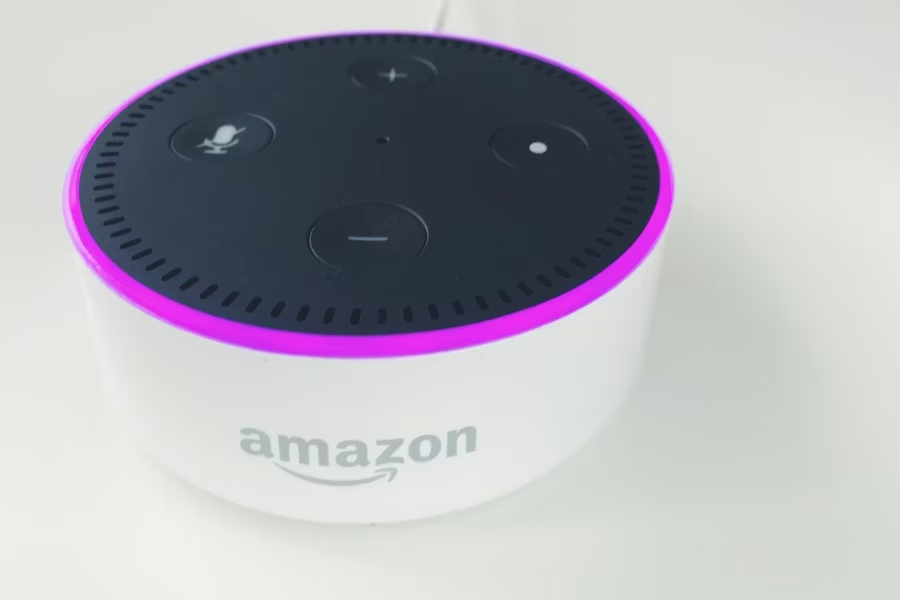
Alexa isn’t really software that lives inside your Echo device. It’s a cloud service that your Echo device connects to. When you say “Alexa, what’s the weather?” your voice is recorded by the Echo’s microphones, transmitted over your Wi-Fi to Amazon’s servers, processed there, and the response is sent back to your speaker. The entire conversation happens in Amazon’s cloud, not in the device on your shelf.
This is why Alexa responds so quickly and handles such complex requests — it has the full power of Amazon’s computing infrastructure behind every single response. But it’s also why the internet connection isn’t optional. Without it, the Echo is essentially a speaker with a microphone and no brain.
The processing power built into Echo devices themselves is very limited — enough to detect the wake word “Alexa” and stream audio, but not enough to understand natural language, retrieve information, or control most services.
What Alexa Can Do Without Internet
There are exactly three things your Echo can do when the internet is out:
Pre-existing alarms will still go off at their scheduled time because they’re stored locally on the device. There’s a significant catch: you can’t turn them off or change them with your voice. You have to physically press the Action button on the Echo to stop a ringing alarm — voice commands won’t work without internet.
If you’ve previously paired your phone or another device to your Echo via Bluetooth, you can still use the Echo as a Bluetooth speaker without any internet connection. You won’t be able to ask Alexa to play anything — but you can play music from your phone directly and it will come through the Echo’s speakers.
Some Echo devices — specifically those with a built-in Zigbee hub like the Echo Plus and Echo Show 2nd Generation — support Local Voice Control. This lets you control compatible lights, plugs, and switches even without internet. This feature has to be enabled in the Alexa app while you still have an internet connection, and it only works with select devices that support it.
What Alexa Cannot Do Without Internet
Music streaming, news briefings, weather, sports scores, smart home control (for most devices), shopping lists, reminders, calls and messages, third-party skills, routines, voice recognition for new commands, calendar, timers you haven’t already set, questions of any kind. All of these require an active internet connection.
Quick Reference Table
| Feature | Works Without Internet? | Notes |
|---|---|---|
| Pre-set alarms | Yes | Can’t stop with voice — press physical button |
| Setting new alarms | No | Requires cloud processing |
| Bluetooth speaker | Yes | Must have been paired previously |
| Music streaming | No | Spotify, Amazon Music, etc. all require internet |
| Smart home control | Partially | Only with Local Voice Control on supported devices |
| Weather updates | No | Cloud-based data retrieval |
| Calls and messages | No | Requires internet connection |
| News and flash briefings | No | Streamed from cloud |
| Shopping lists | No | Stored in the cloud |
| Routines | No | Processed server-side |
The Best Workaround: Mobile Hotspot
If your home internet is down but your phone has mobile data, you can connect your Echo to your phone’s hotspot. This restores full Alexa functionality as if you had normal Wi-Fi — because as far as Alexa is concerned, an internet connection is an internet connection regardless of where it comes from.
This is the single most useful thing to know when your internet goes down and you rely on Alexa for anything important — a morning alarm routine, a smart lock, a security camera check. Hotspot tethering takes about two minutes to set up and restores everything.
Will This Change in the Future?
Amazon has been gradually expanding local processing capabilities in newer Echo devices. The company introduced Local Voice Control years ago for smart home commands, and has been slowly expanding what can be processed on-device rather than in the cloud. Newer Echo devices with more powerful processors are better positioned for this than older models.
However, the fundamental architecture — Alexa as a cloud service — is unlikely to change significantly. The ability to handle natural language, retrieve real-time information, and coordinate across services all inherently require server-side processing that a small consumer speaker can’t replicate. Expect incremental improvements in offline capability over time, not a fundamental shift.
Frequently Asked Questions
Can Alexa work on mobile data instead of Wi-Fi?
Yes. Alexa doesn’t distinguish between Wi-Fi and mobile data — it just needs an internet connection. You can connect your Echo to a mobile hotspot and it will function exactly as it does on regular Wi-Fi. The limitation is data consumption, not compatibility.
Will my Alexa alarm go off if the internet is down?
Yes, if the alarm was set before the internet went down. It’s stored locally on the device. However, you won’t be able to cancel it with your voice — you’ll need to press the physical Action button on the Echo device itself.
Can Alexa control my smart lights without internet?
Only on specific Echo devices with a built-in Zigbee hub and only with compatible smart home devices, using the Local Voice Control feature. For most standard setups — smart lights connected via Wi-Fi — no, they won’t be controllable when your internet is down.
Why does Alexa say “I’m having trouble connecting” when my internet is down?
Because it’s detecting that it can’t reach Amazon’s servers. Your Echo heard you and woke up correctly — it just can’t process what you said without the cloud connection. This is the standard offline error message and confirms your device is working but your internet isn’t.
Is there a smart speaker that works fully offline?
Not in any meaningful way — all major voice assistants (Alexa, Google Assistant, Siri) rely on cloud processing for natural language understanding. Some specialized offline voice control systems exist for smart home automation, but they lack the conversational capability of consumer smart speakers.
The Bottom Line
Alexa without internet is a speaker with an alarm clock and a Bluetooth receiver. That’s not nothing — but it’s far from what most people rely on it for daily. If your internet reliability is a real concern, the mobile hotspot workaround is worth setting up in advance so you’re not figuring it out during an outage. And if smart home reliability during outages matters to you, look for devices that support local control — it’s a feature worth prioritizing when buying new smart home hardware.
Related: How to Set Up a Smart Home From Scratch · What Is Matter? The Smart Home Standard Explained
ClearlyBold.com may earn a commission from purchases made through our links at no extra cost to you. Prices accurate as of March 2026.